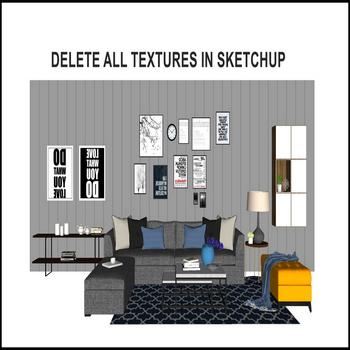
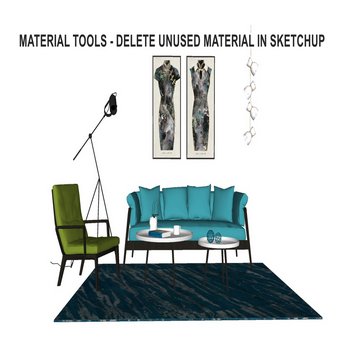
SketchUp models accumulate unused materials faster than most users realize. Every time you import a component from the 3D Warehouse, paste geometry from another file, or experiment with a material and then paint over it, the old swatch stays embedded in the file. Over a complex project, hundreds of orphaned textures can quietly inflate your […]
Author Archives: Nguyen Huu Khanh
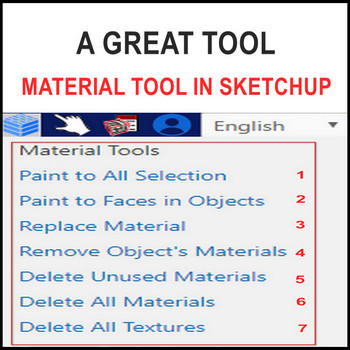
A powerful SketchUp material tool for deleting unused materials and textures — you must install the 3dshouse dynamic plugin (works with SketchUp 2026 and earlier; SketchUp today is a named-user subscription, so make sure you are signed in before loading the extension). Material Tool SketchUp – Tutorial Video Steps by steps : You must install […]
When you want to duplicate multiple same objects in SketchUp, use the following basic trick How to duplicate objects in SketchUp — Tutorial video Steps by steps : Select models – move tool click – hold the ctrl key on the keyboard – catch points on models Drag models to another position with your number […]
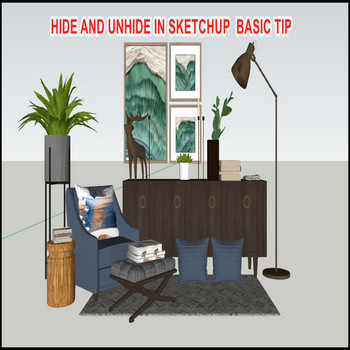
Managing your SketchUp model is important, and hiding/unhiding objects is a quick way to keep the parts you are not working on out of the way. How to Hide Objects in SketchUp The fastest way to hide anything in SketchUp is the right-click menu: Select the object (face, edge, group, component, or any mix). Right-click […]
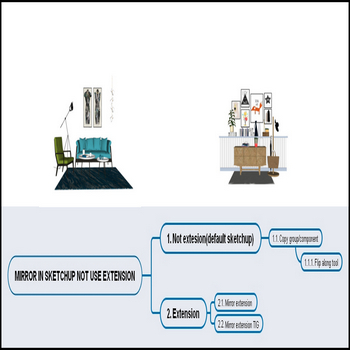
There are several ways to mirror objects in SketchUp — a task every modeler needs daily: the built-in Flip tool (a dedicated tool with live preview, added in SketchUp 2023 under Tools > Flip), the older Flip Along right-click command (still present in every version, including the free web app), and third-party extensions. If you […]
There are 2 extensions for copying an array along a path in SketchUp; this video uses the JHS Powerbar extension Important 2026 update: JHS Powerbar has not been updated for SketchUp 2025 or 2026 and will not load on those versions, so the workflow in this video runs only up to SketchUp 2024. If you […]
There are 2 ways to copy a linear array in SketchUp. Both use the Move tool in copy mode (press M, then tap Ctrl on Windows / Option on Mac before you drag) — SketchUp has never shipped a dedicated array command, so these Measurements-box tricks are the built-in way. Copy Array in SketchUp — […]
How to rotate objects in SketchUp — only 3 steps using the Rotate tool (Q key) How to Use the Rotate Tool in SketchUp — Video Tutorial Steps by steps: Rotate in sketchup is very easy My screen is a house and a compass, i want rotate my house follow directions in compass Q key […]
Modeling a cone roof in SketchUp is one of the most searched architectural tasks for beginners and intermediate users alike, and the good news is that the built-in Follow Me tool handles it in three precise steps with zero plugins required. Whether you are building a conical turret on a Victorian house, a thatched hut, […]
There are key differences between groups and components in SketchUp,in this video just show the basic difference in design Groups vs Components in SketchUp — Tutorial Video: Key Differences Steps by steps: The difference between groups and components in sketchup Make group models Make component models Copy multi groups and components Click on group, draw […]

Tiếng Việt