Eight SketchUp quantity takeoff tools compared on what they measure, how they handle cost, what they export, where they run and how they are licensed.

Eight SketchUp quantity takeoff tools compared on what they measure, how they handle cost, what they export, where they run and how they are licensed.
SheetUp builds a SketchUp quantity takeoff and cost estimate as one table of rows: add a component, material, tag or custom item, set price, waste and tax, read the total row and export one flat sheet to Excel.
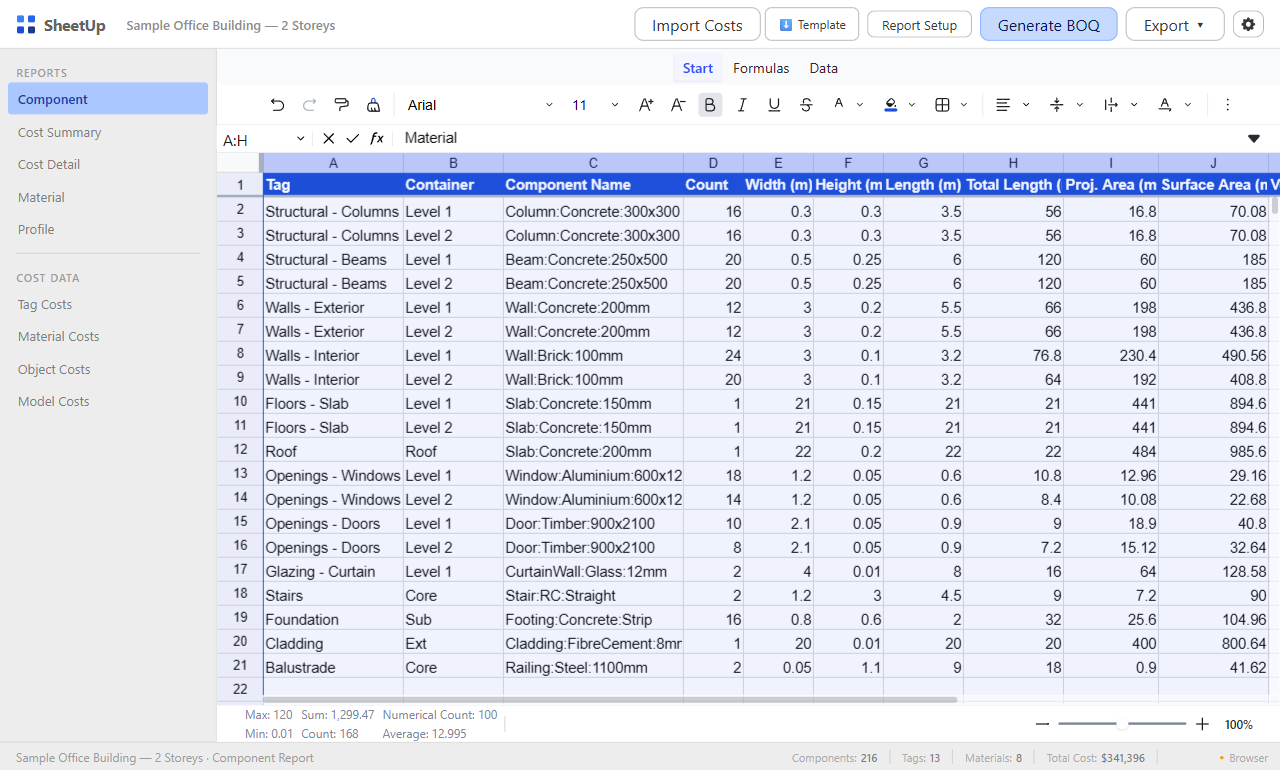
How to get a SketchUp material and cost list into Excel: one flat Estimate sheet with live formulas, a pivot by tag or material, import back, and the Generate Report CSV.
Face, surface, material, plan and cut area in SketchUp: how to read each one, and how SheetUp measures surface area and material area as rows of an estimate.
From a SketchUp model to an order list: add a row per material, pick the measure it is bought by in Per, set a factor and waste, and derive weight from density.
How a SketchUp cost estimate is built from rows that point at the model, with one fully worked example, the common mistakes and the limits of an estimate drawn from geometry.
How SketchUp decides a volume, why Entity Info shows none or a wrong figure, how to find and repair the geometry, and how SheetUp treats solids, nested groups and estimates.

TileUp turns a selected face into real 3D tiles: herringbone, chevron, hexagon and 168 patterns in the tile size you set, with a take-off. 3 free uses a day.
A Revit cut pattern that is missing, a dark mass or unreadable at another scale: 9 checks from Autodesk’s help, and what forum threads do about scale.
What drafting and model fill patterns do in a Revit filled region, why a hatch does not show, and three ways to put one layout into a project in both kinds, with or without a .pat file.