You see a model with nice materials and want to copy materials from it — material collection in SketchUp is easy with the right tool How to Copy & Import Materials in SketchUp – Tutorial Video Steps by steps: Material collection tool click All materials have been arranged for array, manage and access easily When […]
Author Archives: Nguyen Huu Khanh
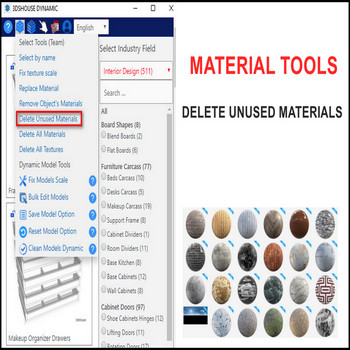
When your SketchUp file has a lot of unused materials slowing it down, use the delete materials tool Delete Unused Materials in SketchUp – Video Tutorial Steps by steps: To optimize your files, use delete unused materials tool by click on tool. Unused materials have been deleted, only default materials and textures is still saved […]
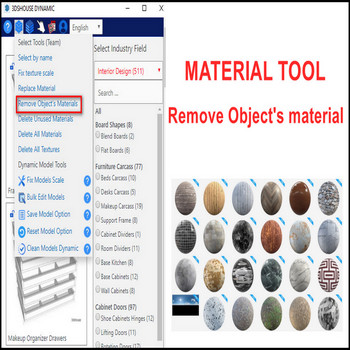
Removing an object’s material in SketchUp is awkward by default — no built-in remove material button exists — there is no single “remove” button, so you normally have to repaint the geometry with the Default material by hand. The Remove object’s material tool from 3dshouse.com solves this in one click, working on faces, groups, and […]
Replacing a material in SketchUp across the entire model with the default tools is slow once a model has many materials, because the native workflow is scattered: you either Alt-sample with the Paint Bucket and repaint, or right-click a face and run Select > All with same material, or open the Materials panel and use […]
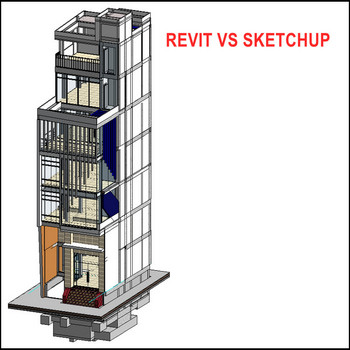
Revit for exterior design, SketchUp for interior — here is the complete workflow to export Revit models to SketchUp via DWG How to Export Revit to SketchUp via DWG — Video Walkthrough Steps by steps: Open Revit – file- export- cad formats – dwg click, chose solids – ACIS solids 2 options: ACIS solids (group […]
The following 3 examples of how to smooth edges smooth edges in Sketchup How to Smooth Edges in SketchUp (Soften & Smooth) — Tutorial Video Steps by steps: Right click – softened and smoothed edges – check box smooth normal At zero of smooth value, all planes is rough When value of smooth is increased […]
There are multiple snap points in SketchUp — endpoint, midpoint, on edge, on face, and axis snaps SketchUp Snap Points & Inference Engine — Video Tutorial: Steps by steps: There are snaps including endpoint , midpoint , on edge , on face Snaps for objects as line, plane, groups, components, axis For line: midpoint, endpoint, […]
It’s easy to confuse the Scale tool and resize in SketchUp — watch the video to understand the difference and resize objects to exact dimensions. How to Resize Objects in SketchUp with the Scale Tool — Tutorial Video Steps by steps : Click the models you want to resize Select the Scale tool or press […]
SketchUp has no native ellipse tool, so the fastest way to draw an oval or ellipse shape is to draw a circle and stretch it with the Scale tool — no extension needed. Follow these steps. How to Draw an Oval or Ellipse in SketchUp — Tutorial Video Method 1: Circle + Scale (Recommended) This […]
When a SketchUp model has a lot of textures you want gone, use the textures tool to delete all textures in one pass — first install the 3dshouse dynamic plugin. The important thing most users miss: SketchUp’s native cleanup (Window > Model Info > Statistics > Purge Unused, or Purge Unused in the Materials panel) […]

Tiếng Việt