

 Tiếng Việt
SketchUp
Auto Restore Texture Scale in SketchUp — Fix Stretched Textures
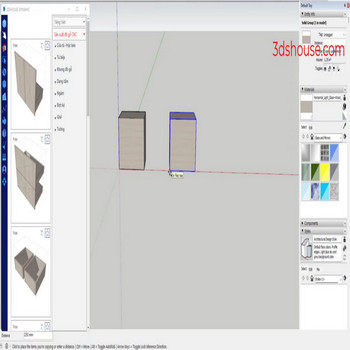
When an object already has a material applied and you then scale it, the textures get stretched or squashed along with the geometry, and resetting each one back to its original scale by hand is slow and tedious. The auto-rescale texture tool restores original texture scale in SketchUp in a single click.
This happens for a specific reason worth knowing: a texture only distorts when the group or component is scaled as a whole (e.g. the Scale tool applied to the closed group/component from outside). If you double-click into the group and reshape the raw faces directly instead of scaling the wrapper, the texture keeps its tile size instead of stretching, because that changes geometry rather than applying a scale transform to the whole instance.
How to Restore Texture Scale in SketchUp and Fix Stretched Textures — Video Tutorial
Steps by steps:
- Select object – click texture scale auto-restore tool
- Texture has returned to original settings
The tool batches this texture scale restore across many selected groups at once — something SketchUp itself has no native command for. The usual manual fix is to explode the scaled group and immediately regroup it: exploding bakes the scale into the geometry and clears the wrapper transform, and because the freed faces stay selected you can regroup instantly with no distortion. For components specifically, the native equivalent is right-click and choosing Scale Definition, which rewrites the “real” scale of the definition. The auto-restore texture scale tool spares you from repeating any of that one object at a time.
This works in current named-user subscription SketchUp (the 2026 line) the same way it has for years, since the underlying texture-projection behavior has not changed.

