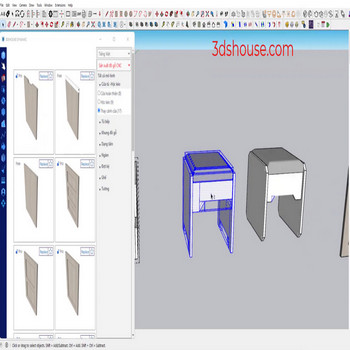
Với những model cấu tạo bởi nhiều group hoặc component lồng vào nhau , việc chọn mặt của đối tượng rất khó khăn, Hãy dùng Face tool – Select Faces in Objects để làm nhanh hơn Lệnh này nằm trong extension TP Face Tools (tác giả tak2hata, tải miễn phí trên Extension Warehouse) — vẫn […]
Author Archives: slash.rock4u
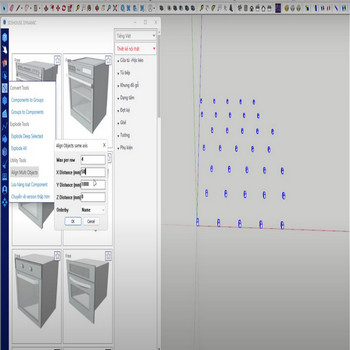
When you have to work with many objects, for tidy display, use the Align multi object tool. This fills a genuine gap: even in SketchUp 2026 there is still no native align-and-distribute command — it has been one of the longest-running feature requests on the SketchUp forums, so spacing objects evenly by hand (or with […]
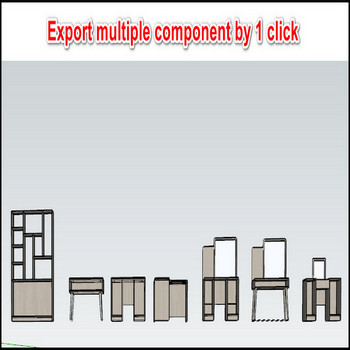
When working with multiple components (com), to reuse the coms next time you have to manually save each one. In SketchUp 2026 the only native way to do this is to right-click a single component and pick Save As — there is still no built-in command to batch-export many selected components to separate .skp files […]
Selecting the edges of nested geometry inside groups or components in SketchUp is slow and fiddly, because the native Select tool has no command to grab edges by their state. This Select Edges (in Objects) tool speeds that up by letting you target edges by what they already are — hidden, softened, or smoothed — […]
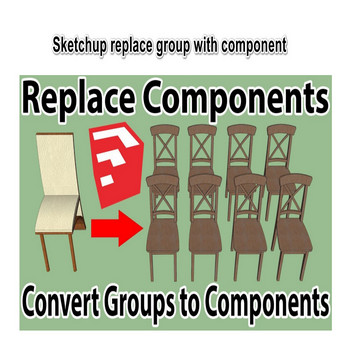
Convert groups to components in SketchUp in a single click. A group is a one-off container that does not share a definition, so once you copy it every copy is fully independent. A component keeps every copy tied to one shared definition, so editing any one instance instantly updates all the others. Tutorial video: Step […]
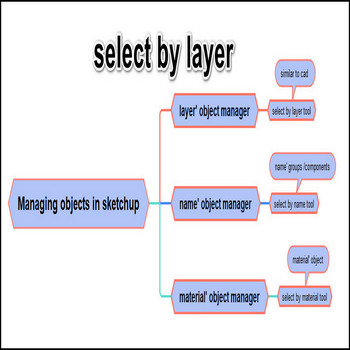
There are 3 ways to manage objects in Sketchup, layer’ object manager, name’ object manager, material’ object manager Note: since SketchUp 2020 “Layers” were renamed to “Tags” — same panel, same job, just a clearer name. If you are on a current release (SketchUp 2026), look for the Tags panel; everything below still applies. Tutorial […]
Unbelievable, super fast CNC production of kitchen furniture only 10 minutes in dynamic Sketchup. By using drag and drop in dynamic Sketchup, you can export your kitchen CNC interior drawing in just 10 minutes. The speed comes from one principle: every cabinet here is a parametric dynamic component, so you size and configure a part […]
Drawing kitchen cabinets in SketchUp is not difficult, but to draw them with the right technique and full accessories you spend a lot of time. With the Parashape dynamic components in the 3dshouse plugin you just need to drag and drop and use basic SketchUp commands, so you can complete a full-options kitchen cabinet layout […]
When you reuse the same model many times, use the Favorite function. It lets you bookmark the models you place most often so they’re one click away instead of buried in the library tree. What this function includes: Mark a model as a favorite by clicking the star on its thumbnail. All starred models are […]
The default parameters of a model in the Parashape (3dshouse Dynamic) plugin let you set the starting values once without having to repeat the same editing every time you load a fresh copy of that model. Example: you design a cabinet door using 18mm plate wood, but the model ships with 17mm thickness as its […]

Tiếng Việt