The following 3 examples of smooth edges in Sketchup Tutorial video: Steps by steps: Right click – softened and smoothed edges – check box smooth normal At zero of smooth value, all planes is rough When value of smooth is increased , all planes have been smoothed
Author Archives: hoangmy.archi
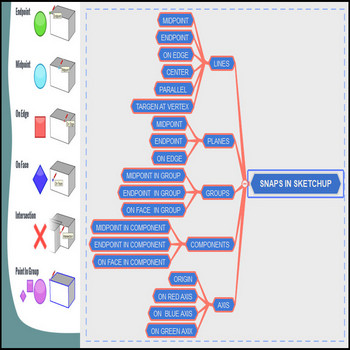
There are multiple points snaps in Sketchup Tutorial video: Steps by steps: There are snaps including endpoint , midpoint , on edge , on face Snaps for objects as line, plane, groups, components, axis For line: midpoint, endpoint, on edge you can see the snaps display on the screen For planes: center snap, on face […]
We easily confuse scale tool and resize tool, watch the video to know the difference Tutorial video: Steps by steps : Click the models you want to resize Select the Scale tool or press the S key Click an edge or face grip (not a corner grip), move the cursor to scale the entity Click […]
To draw an ellipse or oval, follow these steps Tutorial video: Steps by steps: Draw a circle with the circle tool, group click Select the scale tool, click the circle, click one of the middle grips (not one of the corner ) and move the mouse From oval shape, rotate 90 dgree for oval shape […]
When the model has a lot of unused textures, use the textures tool – the first install 3dhouse dynamic plugin Tutorial video: Steps by steps: The first install 3dhouse dynamic plugin To delete all textures you must right click many times,don’t do that, use textures tool now 3dhouse dynamic plugin- textures tool- delete all textures […]
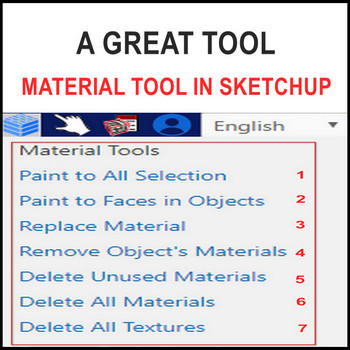
When the model has a lot of unused materials, using the material tool. Tutorial video: Steps by steps: The first install 3dhouse plugin To delete unused materials you must right click many times, don’t do that, use material tool now Click 3dhouse dynamic plugin– material tool- delete unused materials All unused materials have been deleted […]
A great new tool in Sketchup, it’s material tool – you must install 3dshouse dynamic plugin Tutorial video: Steps by steps : You must install 3dshouse dynamic plugin In default tray – in model (materials and textures of all models in here) When you delete models, material and texture of models not deleted The way […]
When you want to duplicate multiple same objects, use the following basic trick Tutorial video: Steps by steps : Select models – move tool click – hold the ctrl key on the keyboard – catch points on models Drag models to another position with your number models
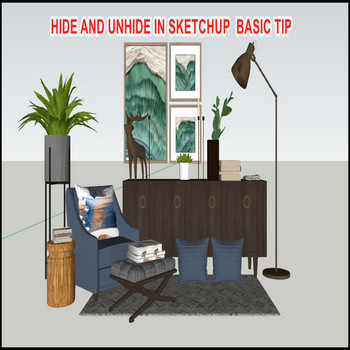
Models manager is very important, hide and unhide is tool to make that purpose. Tutorial video: Steps by steps: Models manager is very important, hide and unhide is tool to make that purpose To hide models -select models – right click – hide To unhide models – ctrl z key Or edit tab – unhide […]
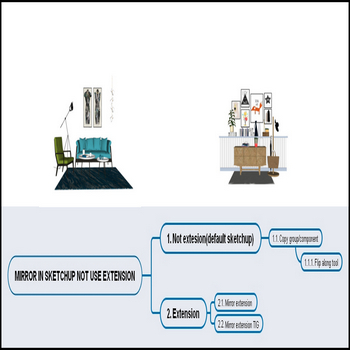
There is 2 way to mirror in sketchup: using default tool and using extension. Tutoral video: Steps by steps : There is 2 way to mirror in sketchup, st the way is use default tool, nd is use extension(see chart) 2.1Mirror extension 2.2 Mirror JHS Powerbar extension Flip along tool is only use when models […]

Tiếng Việt