

 Tiếng Việt
SketchUp
How to Hide and Unhide Objects in SketchUp — Tips & Shortcuts
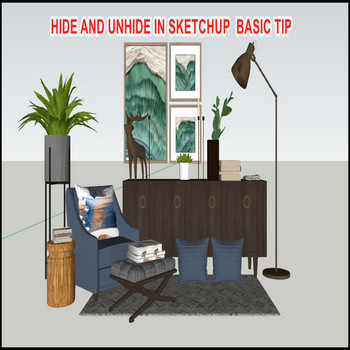
Managing your SketchUp model is important, and hiding/unhiding objects is a quick way to keep the parts you are not working on out of the way.
How to Hide Objects in SketchUp
The fastest way to hide anything in SketchUp is the right-click menu:
- Select the object (face, edge, group, component, or any mix).
- Right-click the selection.
- Click Hide.
The object disappears from the viewport immediately. It still exists in the model — it is just not drawn. You can also go to Edit > Hide from the menu bar if you prefer.
To undo a hide you just performed, press Ctrl+Z (Windows) or Cmd+Z (Mac). This works only if hide was your last action. It is plain Undo, not a dedicated unhide command — use it for immediate corrections only.
How to Unhide in SketchUp — All Methods
SketchUp gives you several ways to unhide objects. Which one to use depends on how many things are hidden and where they are in the model hierarchy.
Edit Menu — Unhide All
Go to Edit > Unhide > All. This brings back every hidden entity at the current editing level. It is the most common answer to “how to unhide in SketchUp” — but read the level trap below before using it blindly.
Edit Menu — Unhide Last
Go to Edit > Unhide > Last. This restores only the most recently hidden selection. Useful when you hid one specific thing and do not want to reveal everything else.
Edit Menu — Unhide Selected
Turn on View > Hidden Objects first (see next section), select the ghosted items you want, then go to Edit > Unhide > Selected. Precise — unhides only what you picked.
Right-Click Unhide
With View > Hidden Objects active, hidden items appear as a faint ghost mesh. Click one to select it, right-click, and choose Unhide. Fastest method when you can see the object on screen.
The Level Trap — Why Unhide Does Nothing
This is the most common reason sketchup unhide appears to not work. Unhide only acts on the editing level you are currently inside.
Example: you double-clicked into a group and hid a face. You then pressed Escape to exit the group. Now you are back at the top model level. Running Edit > Unhide > All at the top level does nothing — that face is hidden one level down, inside the group.
Fix: double-click back into the same group or component, then run Unhide. The rule is simple: hide and unhide must happen at the same level.
If you are not sure which level something was hidden at, use the Outliner method below — it bypasses this problem entirely.
View Hidden Objects — See What Is Hidden
To find hidden items without guessing, enable the ghost view:
- Go to View > Hidden Objects.
- Hidden groups and components reappear as a transparent ghost mesh.
- Also toggle View > Hidden Geometry to see hidden edges and faces.
In SketchUp 2025 and later, these two toggles were merged into a single View > Hidden Objects option — you no longer need to toggle geometry and objects separately.
With the ghost visible, you can click it, right-click, and choose Unhide directly. This is the most reliable method when you have hidden several things in different places and do not remember where they are.
Unhide Using the Outliner
The Outliner panel is the best tool for controlling visibility without touching the Edit menu:
- Open Window > Outliner.
- Hidden groups and components appear with a greyed-out name and a closed-eye icon.
- Click the eye icon next to any item to toggle its visibility instantly.
This method is non-destructive, works regardless of what editing level you are at, and gives you a full list of every group and component in the model. It is the fastest workflow for repeated hide/unhide on complex scenes.
SketchUp Hide Shortcut — Set Your Own
SketchUp ships with no default keyboard shortcut for Hide or Unhide. You have to assign them yourself:
- Go to Window > Preferences > Shortcuts.
- Search for “Hide” to find the relevant commands.
- Assign H for Hide and Shift+H for Unhide All — these are common choices that do not conflict with built-in defaults.
Once set, hiding and unhiding becomes a one-key operation. This alone makes a bigger difference to modeling speed than any other workflow change.
Hide vs Tags — Know the Difference
Hiding an object with right-click > Hide is not the same as controlling visibility through Tags (formerly Layers). They are two separate systems:
- Hide — stores the hidden state on the entity itself. The object stays hidden in every scene unless you explicitly unhide it.
- Tags — control visibility per scene. Turn a Tag off in one scene, on in another. Non-destructive and scene-aware.
Use Hide for temporary, quick cleanup while you model. Use Tags for permanent, scene-based visibility control (e.g. showing/hiding a furniture layer across different floor plan scenes). Mixing both is valid but can create confusion — if something will not appear despite being “unhidden,” check its Tag visibility too.
Related: How to Use Tags (Layers) in SketchUp
Hide and Unhide — Full Workflow Summary
- Hide: select → right-click → Hide (or Edit > Hide)
- Undo immediately: Ctrl+Z / Cmd+Z
- Unhide all at current level: Edit > Unhide > All
- Unhide last hidden: Edit > Unhide > Last
- Unhide specific item: View > Hidden Objects → select ghost → right-click → Unhide
- Toggle visibility without menu: Outliner eye icon
- See all hidden items: View > Hidden Objects
- Speed up with shortcuts: assign H / Shift+H in Preferences > Shortcuts
Tutorial Video
Watch the full walkthrough of hide and unhide in SketchUp:

Common Issues & FAQ
