

 Tiếng Việt
Jun
Get BevelUp on Extension Warehouse (free) →
SketchUp’s 3D modeler still has no fillet or chamfer command for rounding the edges of a solid, so softening a corner usually means fighting with Follow Me or buying a paid extension. (SketchUp 2026 did add Fillet and Chamfer tools — but only inside LayOut, for 2D vector linework, not for 3D geometry.) BevelUp fixes the 3D side with a free round corner plugin: select edges, set a radius, and get clean rounded geometry in one click — on simple box edges and complex multi-edge corners alike. It is a free round corner plugin for SketchUp — every feature is free for 10 rounds per day, with no license key and no trial. BevelUp Pro ($18 one-time) removes the daily limit.
Fredo6’s RoundCorner is a paid extension ($15 perpetual license, 3 seats) and its newer sibling FredoCorner costs $30 (3 seats); both need LibFredo6. BevelUp is a lightweight round corner and chamfer plugin for SketchUp — free for 10 rounds per day, with BevelUp Pro ($18 one-time, no seat limit — tied to your 3dshouse account) for unlimited use. No license key to install.
BevelUp SketchUp — Video Demo
Fillet vs. chamfer — what BevelUp does
Both soften a sharp edge, but the result is different:
- Fillet (round) — replaces the edge with a smooth curved arc. More segments make the curve smoother. This is the typical “rounded corner”.
- Chamfer (bevel) — replaces the edge with a single flat angled cut. In BevelUp you get a chamfer simply by setting Segments = 1.
Same tool, same radius control — you choose whether the edge ends up curved or flat. One detail worth knowing: every extra segment multiplies the new faces and edges along the whole selection, so rounding a long edge loop at a high segment count can balloon the polygon count of an otherwise light model — keep segments at 2–3 for anything you will copy or array many times.
How to round or chamfer edges in SketchUp with BevelUp
- Select the edges you want to round — one edge, a closed loop around a face, or several edges at once.
- Click the BevelUp toolbar button.
- Set the radius and the number of segments (1 = chamfer, more = smoother fillet).
- Apply. BevelUp builds native faces and keeps your existing materials.
The radius is capped by the geometry, not by what you type: if you ask for a fillet larger than half the length of the shortest adjoining edge, the corners would overlap and the result fails. When a round “won’t take”, shrink the radius or pre-split tight edges first — the tool is doing math, not refusing.
Features
- Round mode — smooth arc fillet across multiple segments. More segments = smoother curve.
- Chamfer mode — flat angled cut (set Segments = 1). Same radius control, flat result instead of a curve.
- Closed edge loops — the full perimeter of a face rounds uniformly in one operation.
- Open edge chains — partial selections that stop at a model boundary work just as well.
- Complex corners — vertices where 4 or more edges meet are handled correctly, not just standard 3-edge box corners.
- Materials preserved — original face textures and materials transfer to the new filleted faces automatically. No re-painting.
- Re-editable output — native SketchUp edges and faces. Continue modeling, push/pull, or paint after rounding.
Rounds complex corners cleanly
BevelUp resolves vertex cases that usually break a rounding tool — not just simple box corners:
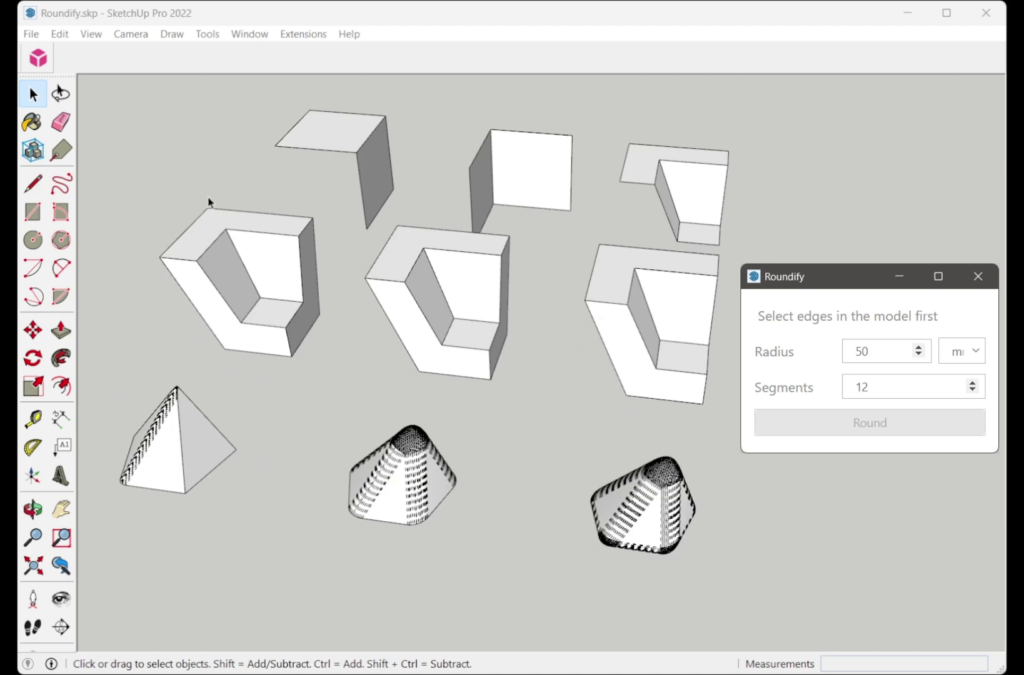
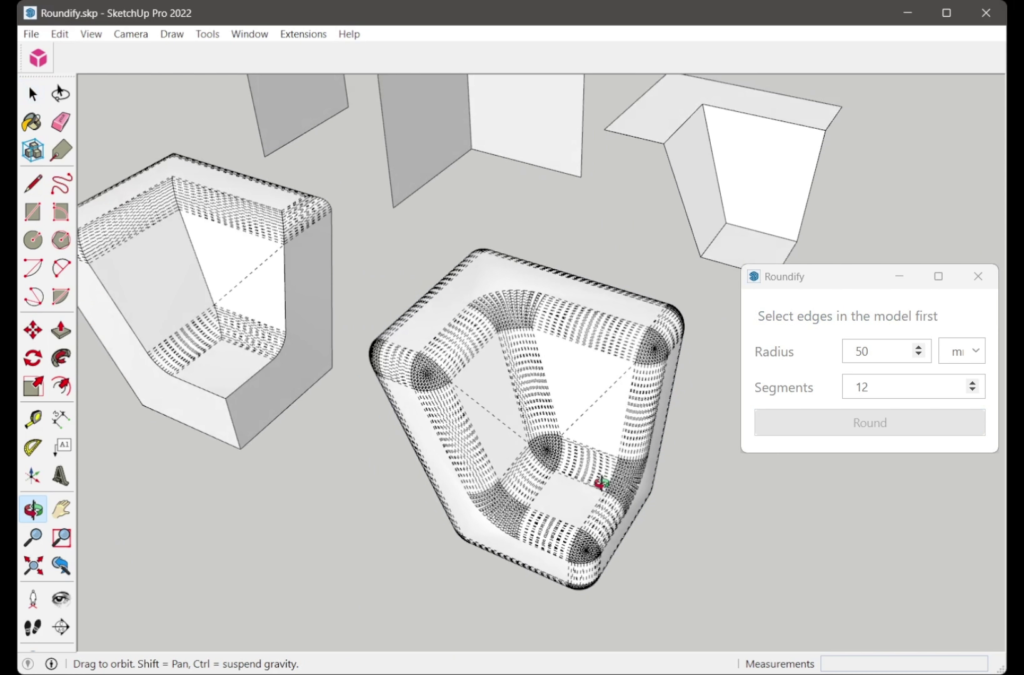
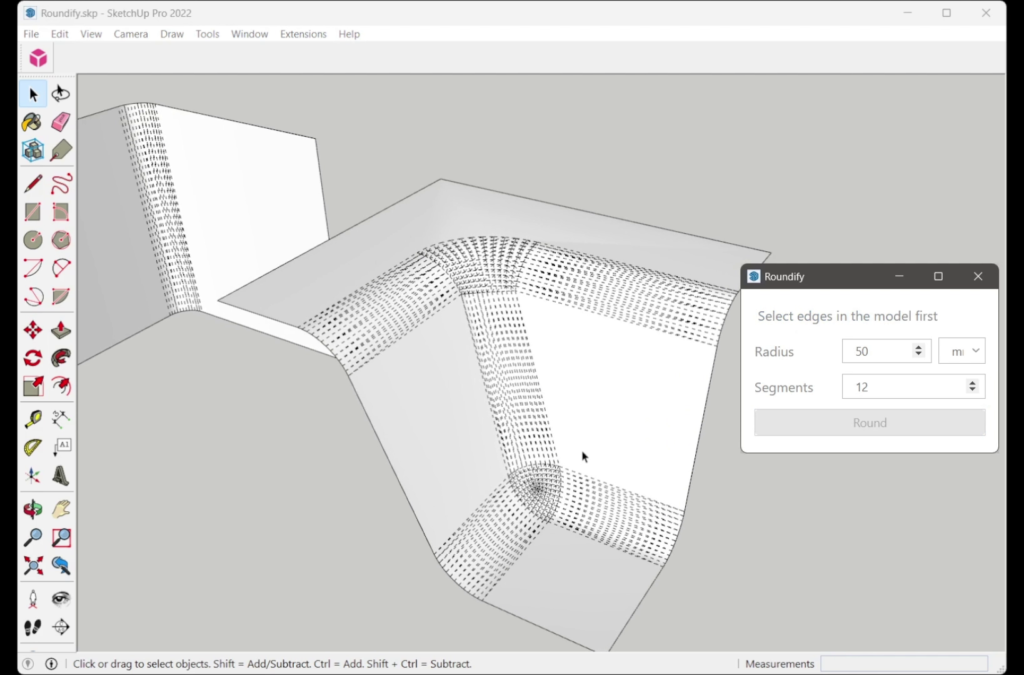
On a curved fillet, BevelUp softens and smooths the new across-arc edges so the curve shades as one continuous surface instead of showing facet lines — but the seam edges where the fillet meets the original flat faces are left hard on purpose, so the model still reads as crisp and stays measurable.
BevelUp vs. other round corner options
| BevelUp | RoundCorner / FredoCorner | Bevel (Mind Sight) | Follow Me (native) | |
|---|---|---|---|---|
| Price | Free (10 rounds/day) / Pro $18 one-time | RoundCorner $15; FredoCorner $30 | $49 | Free |
| Seats per license | No limit (per account) | 3 seats | Not stated | — |
| License key | None | Required (Sketchucation SCFLicense) | Required | None |
| Workflow | Select edges → one click | Select edges → dialog | Select edges → live edit | Draw a profile and trace each path manually |
| Fillet + chamfer | Yes (Segments control) | Yes | Yes | Manual only |
| Keeps materials | Yes | — | — | No |
Comparison reflects publicly available information in 2026; check each vendor for current pricing. Prefer the native route for a single sweep? See our Follow Me guide and the older RoundCorner extension walkthrough.
Install
⬇ Get it on Extension Warehouse
- Open the link above, sign in with your Trimble ID and click Install.
- Or install without leaving SketchUp: Extensions → Extension Warehouse, search BevelUp, click Install.
- Restart SketchUp. A BevelUp entry appears under Extensions and a one-button toolbar.
Requirements
- SketchUp 2022 or newer (including SketchUp 2026).
- Windows or macOS.
- A free 3dshouse account is required to sign in. Every feature is free for 10 rounds per day; BevelUp Pro ($18 one-time, no seat limit) removes the daily limit. The plugin dialog loads online, so an internet connection is required.
FAQ
Is BevelUp a free alternative to RoundCorner / FredoCorner for rounding edges in SketchUp?
Yes, within a daily limit. RoundCorner ($15) and FredoCorner ($30) are paid Sketchucation licenses covering 3 seats each, after a free trial. BevelUp gives you fillet and chamfer with materials preserved, free for 10 rounds per day — no license key and no trial. BevelUp Pro ($18 one-time) removes the limit and has no seat cap: it is tied to your 3dshouse account, so it works on every computer you sign in to.
What is the difference between a fillet and a chamfer?
A fillet is a curved (rounded) edge; a chamfer is a flat angled cut. BevelUp does both — set Segments to 1 for a chamfer, or higher for a smooth fillet.
Can I round several edges or a whole face at once?
Yes. BevelUp handles single edges, closed loops around a face, open edge chains, and complex corners where 4+ edges meet — all in one operation.
Does it keep my textures and materials?
Yes. Original face materials transfer automatically to the new rounded faces, so there is no re-painting.
Doesn’t SketchUp 2026 already have Fillet and Chamfer tools?
Those new 2026 tools live in LayOut and only work on 2D vector linework for documentation. They do not round the edges of 3D geometry, which is what BevelUp does in the SketchUp modeler.
How is this different from Follow Me?
Follow Me requires manually drawing a profile, positioning it, and tracing a path — edge by edge. BevelUp rounds any selection of edges in one operation, handles closed loops and corners automatically, and preserves materials.
Does it work on imported or CAD geometry?
BevelUp works on native SketchUp edges and faces. For messy imported meshes, clean up and weld the geometry first for the best result. Need to lighten a heavy import? Try Decimify.
Can I use the output for 3D printing?
Yes. BevelUp produces native SketchUp faces — solid, re-editable, and export-ready for any format SketchUp supports.
Which SketchUp versions are supported?
SketchUp 2022 and newer, on Windows and macOS.
