

 Tiếng Việt
SketchUp
Delete Excess Edges Between Coplanar Faces in SketchUp
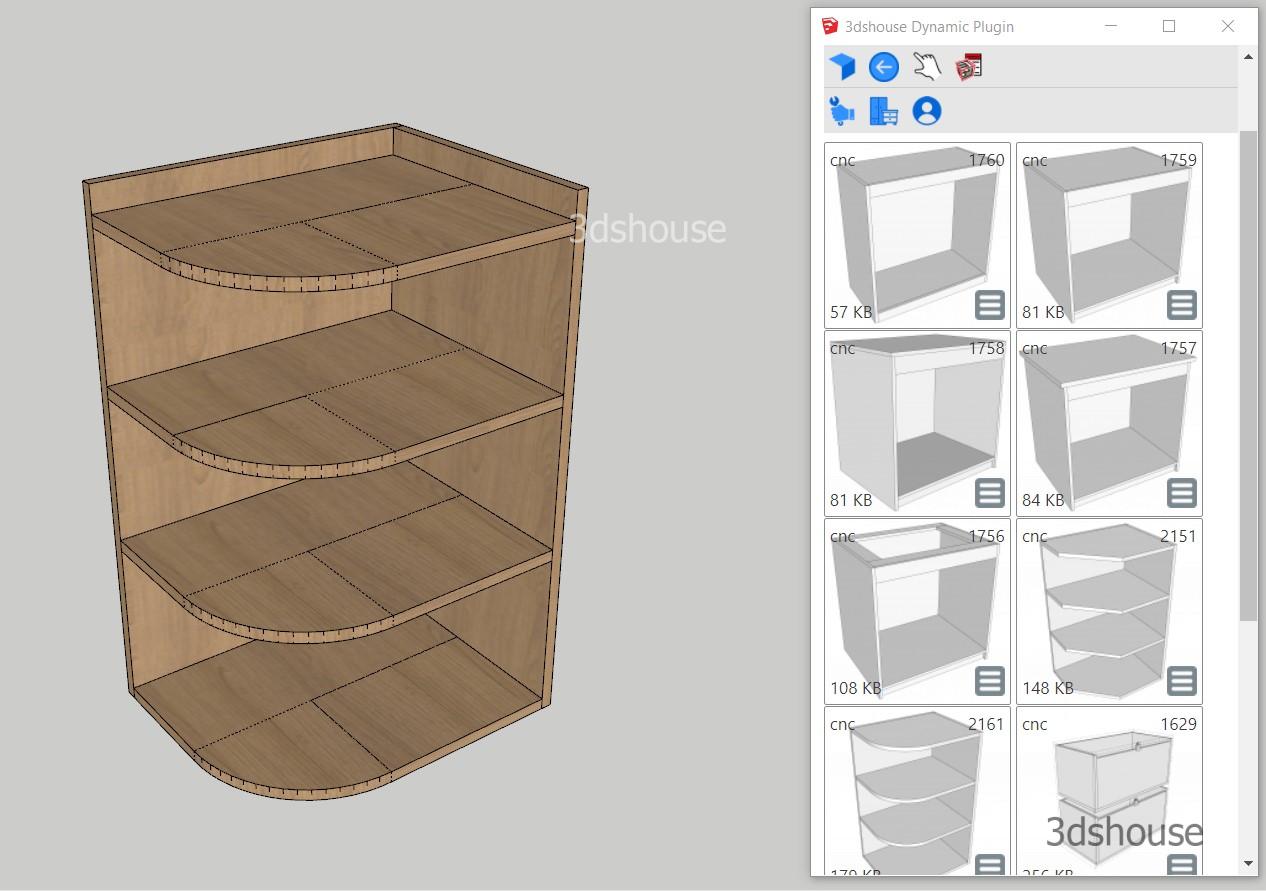
Extra edges (unused coplanar edges) sitting in the middle of a flat face add nothing to the shape, but they still bloat the SketchUp file, inflate entity count, and break CNC/ABF export workflows. In many cases you need to remove them, and doing it by hand is slow and easy to miss.
In the picture is an example where you need to export to ABF: the leftover lines running across the shelf faces have to be cleaned up first. This matters because of a gotcha most people miss. Softening or hiding an edge (SketchUp’s “Soften Coplanar Edges” option) does not actually remove it — the edge stays in the model, still counts toward the geometry total, and still gets written out as a real line when you export to ABF, DXF, or a CNC/unfold workflow. Tools that flatten or unfold panels read every edge they find, so a hidden-but-present line will split your nested panel into fragments and break the layout. The Clear Unused Edges Tool truly erases those edges, not just dims them.
There is a second reason to let the plugin handle this rather than deleting edges manually. In SketchUp, erasing an edge only merges the two faces it separates when those faces are exactly coplanar; if they are even slightly off-plane, deleting the shared edge punches a hole through the geometry instead of fusing it. The tool checks coplanarity for you and only removes edges that are genuinely redundant, so you do not end up with missing faces.
How to Clear Unused Edges and Delete Coplanar Lines in SketchUp
Method 1: Remove excess edges from a selected object
- Select the object to be processed as Component or Group
- Note that this object does not contain components or groups inside it. The tool operates on the loose edges and faces of the context you give it and does not recurse into nested groups/components — so explode or open any nested objects first, otherwise their interior edges are left untouched.
- Click icons


Method 2: Process the whole file
- Click icons plugin will automatically search and delete unused lines.
The Clear Unused Edges tool for SketchUp runs the same way on SketchUp 2026 as on earlier versions, since it only relies on stable edge/face operations in the SketchUp Ruby API.
