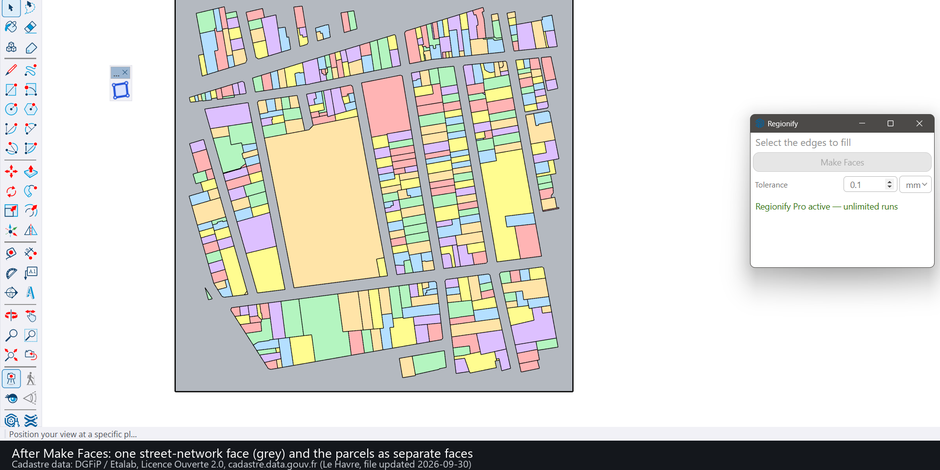
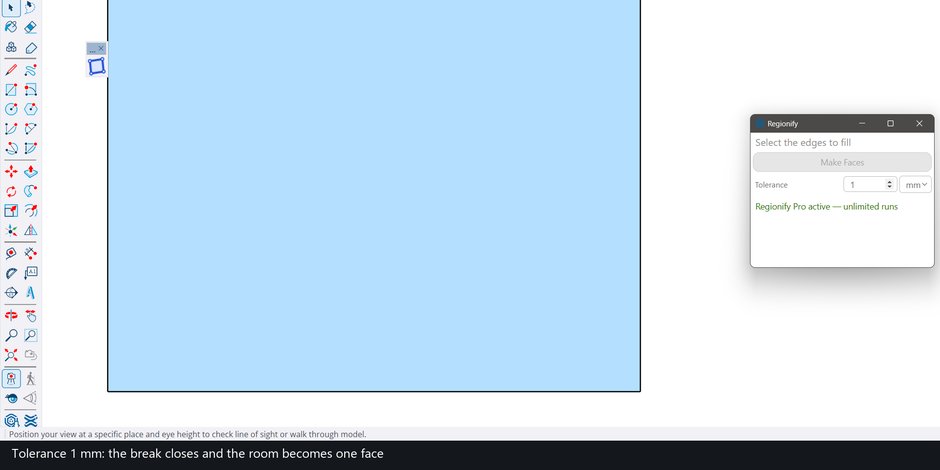
Regionify turns selected edges into faces, and it is built for the linework that arrives from CAD: edges that overlap, run over each other, or cross without ever sharing a point. Select the edges and press Make Faces: every closed loop that lies flat (within the Tolerance) gets a face, with its holes. One setting, Tolerance (default 0.1 mm), decides how close two points must be to count as one, so a small break between lines closes once you raise it. Requires SketchUp 2022 or newer; tested on Windows.
The problem: CAD linework with no faces
Imported CAD often arrives as edges with no faces. Users describe it in these words: “Sketchup doesn’t recognize the surface enclosed by the drawing” after a DXF import (SketchUp forum). Replies there point to gaps at the corners, and a face needs edges that are coplanar. Several extensions make faces from edges by working on closed loops of coplanar edges (forum: “The extension looks for closed loops of coplanar edges and creates faces inside them”).
A forum regular lists the faults that break such loops in a CAD file: “Overruns, gaps, edges that ought to be straight that aren’t, non-continuous edges that should be continuous”, and in the same thread he found “edges over run very slightly” that “will cause problems with faces filling” (SketchUp forum, January 2026). Those are the drawings Regionify is made for.
Built for imported CAD, with a method of its own
Regionify is built to enterprise-grade standards, and we stand behind it. It is meant for the architect, designer or contractor who brings in a plan or a site drawing and needs every closed room, plot and street to come out as a face, without redrawing lines by hand.
It does not use SketchUp’s default face finder (Edge#find_faces). Regionify works out the closed loops itself from the raw selected edges and then hands SketchUp the finished faces, holes included, to build. So you do not run Intersect Faces first, and your original edges stay where they are: none was erased on any of the four drawings measured below.
Edges that overlap or cross without a shared point
Three situations that look like one loop on screen but are not joined in the model, each checked against a known answer (engine tests with closed-form areas, not SketchUp runs, unless stated):
- A long edge lying over two shorter collinear edges gives two faces, the shared point kept in both. SketchUp’s DXF importer left overlaps of this kind inside the block definitions of our ground-floor test drawing; imported without exploding, it gave 62 faces against a reference of 62 in SketchUp 2025, and a second press built nothing.
- Lines that cross without sharing a point: four vertical and five horizontal full-length lines give exactly the 12 grid cells. Called on each of those edges, SketchUp’s own
find_facesreturned 1 face, the outer loop (measured 2026-11-11 on the flat-face build Regionify was forked from). - Edges that stop a hair short of each other: a 0.004 in break stays open at a Tolerance of 0.001 in and closes at 0.005 in, giving the full square. Two lines that pass 0.004 in apart in height are cut at their crossing at that same setting.
A stub hanging off a loop, as a line left running past a corner does, is dropped and the area of the face does not change (engine test with a stub inside a room).
What Regionify does
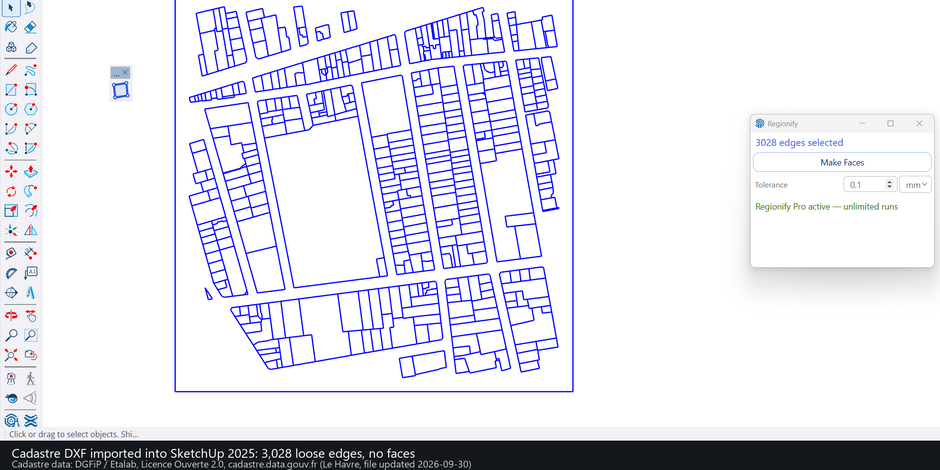
- Treats points closer than the Tolerance as one point (default 0.1 mm, up to 25.4 mm; mm or in). An endpoint within the Tolerance of another edge joins it (a T gap closes), and crossings within it cross.
- Cuts the selected edges where they cross, so lines that cross without sharing a point still form closed cells.
- Gives every closed loop whose edges all lie on one plane (within the Tolerance) a flat face; holes and nested loops are handled. Loops that are not flat are skipped. New faces take the tag of the edges they are drawn from.
- Keeps adjacent rooms apart: a wall shared by two rooms keeps its edge and its two faces.
- Builds everything in one undo step, and a second press skips faces that already exist.
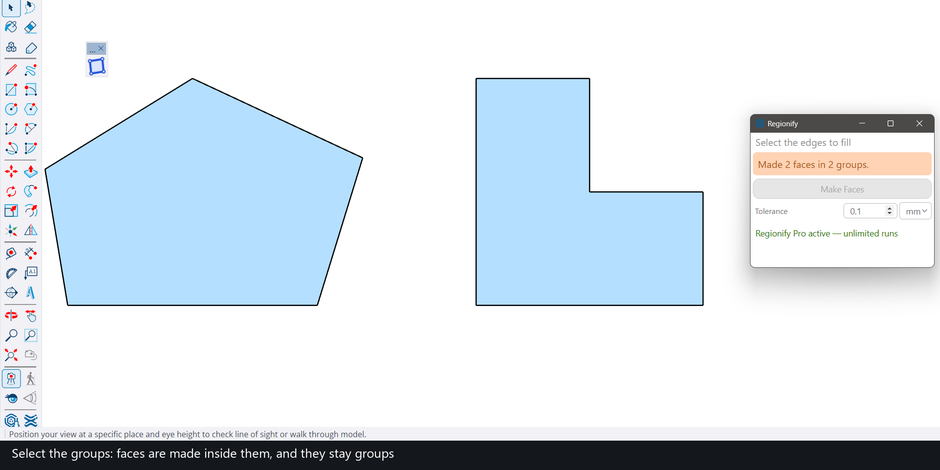
- Select a group or component to process its contents (nested ones too) in place, without exploding it; a definition used by several instances is processed once and every instance shows the faces.
The two street-plan images are built from the cadastre of Le Havre: DGFiP / Etalab, Licence Ouverte 2.0, cadastre.data.gouv.fr (file updated 2026-09-30).
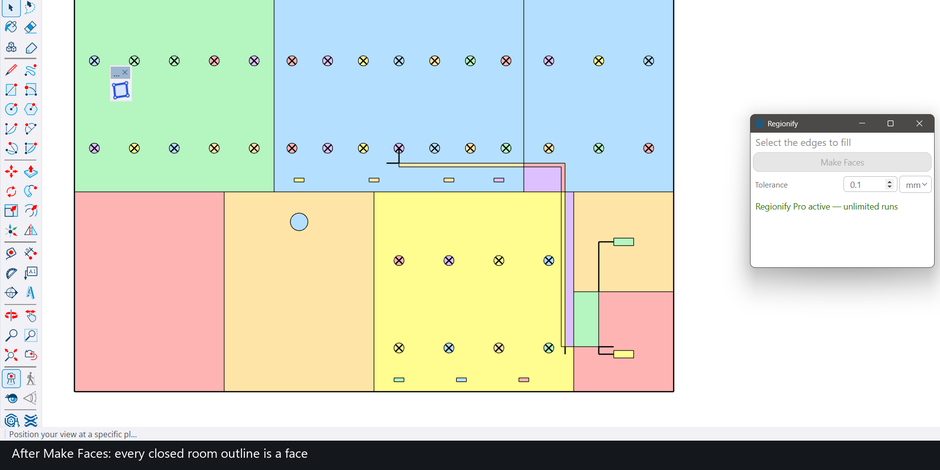
Measured on real drawings
SketchUp 2025, four public DXF drawings imported with SketchUp’s own importer, all edges selected, one Make Faces press on the production page. The reference is the polygon set computed from the same edges with Python’s shapely; total face area differed by 0.0% on every drawing, no original edge was erased, and a second press built nothing.
| Drawing | Edges | Faces made | Reference faces | Press, start to finish |
|---|---|---|---|---|
| Ground-floor plan | 3,987 | 62 | 62 | 1.9 s |
| Architectural floor plan | 5,936 | 422 | 422 | 1.9 s |
| Site plan A | 8,882 | 349 | 349 | 2.6 s |
| Site plan B (the importer’s 49 faces kept) | 7,999 | 373 (49 existing + 324 new) | 374 | 2.4 s |
In the last row one importer face covers two reference cells, which is why the counts differ by one. Drawing sources and licences (public GitHub files): ground-floor plan, Pdhruv15/LV-Design-Suit (Apache-2.0); floor plan and site plan A, KanJieTeam/kjdraw (Apache-2.0); site plan B, sylvinus/exav (MIT). Measured 2026-11-13.
For reference, SketchUp’s find_faces called on each edge made 252 of 422 and 222 of 349 faces on the floor plan and site plan A, with overlapping faces stacked (51 and 17 overlapping pairs); we did not investigate why. Those two runs, and the 62-face ground-floor plan where it was exact, were measured on 2026-11-11 on the flat-face build Regionify was forked from.
What it does not do
- It does not find, mark or report gaps and suggests no value. A break closes only if you raise the Tolerance above it (maximum 25.4 mm); an open drawing with no closing chain gets no face.
- It does not remove or tidy overlapping lines. Your edges are left as drawn, and a duplicate line stays in the model.
- It makes flat faces only. A loop whose edges are not on one plane (within the Tolerance) is skipped, and when nothing else is made the dialog says so (“No face made – 1 closed loop found, but its edges are not on one plane”); a flat loop selected next to it is still made. Loops that are not a simple cycle, such as a bridge inside a face, are skipped without a message.
- The Tolerance is an absolute distance, so it depends on your drawing’s units and scale. In engine runs on nine real DXF drawings the default 0.1 mm lost no face; large values collapse thin features (one 48 sq in map lost faces from about 0.8 mm, a floor plan from about 0.13 mm).
- An island loop drawn inside a face without sharing an edge with it gets its own stacked face.
- It is not the fastest: a press took 1.9 to 2.6 s on 4,000 to 8,900 edges, while SketchUp’s
find_facesfinished the same drawings in 0.2 to 1.7 s, with the missing and overlapping faces above. - On a messy 3D wireframe that is not flat, the search is slower and its non-flat loops are skipped; raising the Tolerance above the lift restores the plan.
- Needs SketchUp 2022 or newer and an internet connection (the dialog loads from 3dshouse.com). Tested on Windows; not run on Mac.
Compared with S4U Make Face
S4U Make Face is an established extension whose listing says “Select edges to Make Faces” and offers a right-click Make Face (SketchUcation, version 5.2.1, updated 2024-10-02; listed as paid, price not shown on that page). Regionify does the same job for flat loops. Where you already own a face tool and your drawings are clean, it is not a reason to switch; the case for it is messy CAD (crossings, T breaks, overlaps, groups and components, tags, second presses that skip existing faces), measured against an independent reference as above. I did not run S4U Make Face or Eneroth Face Creator; that is what the S4U page says, not a statement about every version.
Related reading
- Imported DWG with no faces in SketchUp: the causes and the fixes
- Overlapping lines in SketchUp and why they block faces
- Closing gaps in SketchUp linework: the extensions compared
- SketchUp make-face plugins compared on real drawings
Install
- Download the .rbz from regionify.3dshouse.com/sketchup/regionify.rbz.
- SketchUp: Extensions > Extension Manager > Install Extension, pick the .rbz.
- Select edges, open Extensions > Regionify, press Make Faces.
Free: limited to 3 runs a day
Pro: unlimited, guaranteed to work, priority support
- BevelUp — round or chamfer edges into real geometry, in one click
- Decimify — reduce the polygon count of a heavy model
- Tracepen — trace an image into SketchUp faces
- TileUp — turn a face into real 3D tiles, with a take-off
- Texturic — make seamless tile textures with PBR maps
- SheetUp — turn a SketchUp model into a bill of quantities and cost estimate
- PatchUp — turn selected edges into faces, flat or curved