

 Tiếng Việt
SketchUp
Delete Dynamic Component Attributes in SketchUp
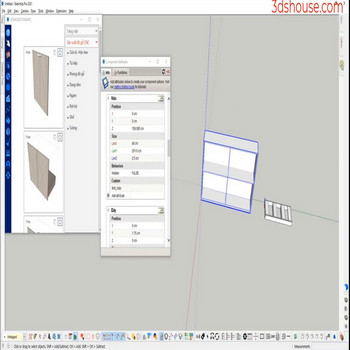
When you need to clean the property of a main dynamic (dynamic parent), doing it manually will take a long time use the Delete Dynamic Selection tool in SketchUp to automate things faster and avoid mistakes.
Under the hood, every dynamic component stores its formulas, options and behavior in a single hidden attribute dictionary named dynamic_attributes. The catch most users miss: this dictionary lives on BOTH the component definition and on each placed instance, so wiping the attributes off the instance you see in the model still leaves the definition “dynamic” — and any future copy will reappear with the old formulas. The Delete Dynamic Selection tool removes the dictionary from the selection so the geometry becomes an ordinary, static component again.
How to Delete Dynamic Component Attributes in SketchUp – Video Tutorial
Steps by steps:
- Click to select the dynamic component dynamic component that needs to be deleted – click the Delete Dynamic Selection tool
- Parent property in dynamic component has been removed

Delete Dynamic Selection in Sketchup

Two things to know before you run the delete dynamic selection tool. First, the operation only strips the parent you select — nested children keep their own dynamic_attributes, so a deeply nested assembly needs the cleanup applied through each level (the tool walks the selection rather than recursing into untouched sub-components). Second, this is a one-way change: once the parent’s dictionary is gone, any child that referenced it with the Parent!attribute syntax loses that link and the formula silently resolves to nothing — so clear from the outermost parent inward only when you genuinely want the component to stop being dynamic. Because the result is just a normal group/component, it works the same across current SketchUp 2026 desktop versions. That said, this plugin itself still requires the SketchUp Pro or Studio desktop app to install and run — SketchUp Go’s browser/mobile modeler has no Ruby extension support at all, regardless of subscription tier.
