SketchUp
RoundCorner vs FredoCorner vs BevelUp: Round SketchUp Edges
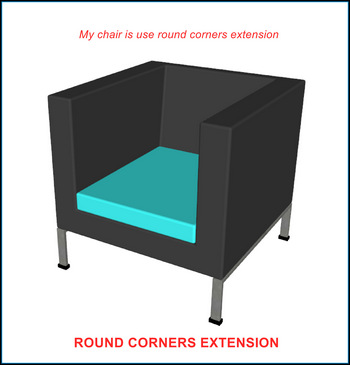
RoundCorner is Fredo6’s SketchUp extension for rounding, beveling and sharpening edges and corners, sold through Sketchucation at $15 for a perpetual 3-seat license after a 30-day trial. FredoCorner is his newer rounding extension, a separate $30 purchase; Fredo6 states that it does not replace RoundCorner, which remains supported. This guide covers both, the native Follow Me method that needs no plugin, and BevelUp, an alternative for rounding and chamfering selected edges. Prices are as of November 2026.
Get BevelUp on Extension Warehouse →
SketchUp itself still has no fillet or chamfer command for 3D geometry. SketchUp 2026 added Fillet (Shift+F) and Chamfer (Shift+C) tools, but they live in LayOut and work on 2D linework only; the 2026.1 and 2026.2 releases added nothing of the kind to the 3D modeler. For 3D edges you need an extension or the Follow Me technique.
RoundCorner vs FredoCorner vs BevelUp
The latest versions of both Fredo6 tools are dated 31 March 2024: RoundCorner 3.4a and FredoCorner 2.7a. Neither is free after its trial; BevelUp is free to use with a daily limit.
| Plugin | Price (Nov 2026) | Shapes | Groups and components | SketchUp versions |
|---|---|---|---|---|
| RoundCorner (Fredo6) | $15 perpetual, 3 seats; 30-day trial | Round, Bevel, Sharp | Top-level geometry only: open the group first | 2017 and above |
| FredoCorner (Fredo6) | $30 perpetual, 3 seats; $8 for a 21-day license; 15-day trial | Round, with asymmetric offsets and a preview mode | Works across group and component boundaries | 2017 and above |
| BevelUp (3dshouse) | Free, 3 Rounds a day | Fillet; chamfer with Segments = 1 | Open the group first | 2022–2026 |
Both Fredo6 tools need LibFredo6 (his free shared library, version 14.3b or later), and FredoCorner also needs the Sketchucation ExtensionStore (4.4.0 or later). BevelUp has no companion library. RoundCorner is also part of Fredo6’s $50 bundle of 8 plugins (Fredo6Bundle2022, with JointPushPull, Curviloft, FredoScale, ToolsOnSurface, TopoShaper, Curvizard and VisuHole); FredoCorner is not in that bundle.
A detail worth knowing before you rely on a trial: when it ends, the tool stops working. In a SketchUp forum thread from October 2024, a user’s RoundCorner “stopped working saying you need to update it”; the reply was that “many of Fredo’s extensions require a license after a short ‘free’ trial period.” That is expected behavior, not a bug.
Three ways to round corners in SketchUp
- Native Follow Me (no plugin). Draw an arc profile on a face perpendicular to the edge, then sweep it along the edge with Follow Me. No install and full control of the profile, but slow past a handful of edges, and corners where two swept edges meet need manual cleanup.
- RoundCorner or FredoCorner (paid). RoundCorner for its three modes (Round, Sharp corners, Bevel); FredoCorner when you want asymmetric offsets or to work across group and component boundaries.
- BevelUp (Free plan, daily limit). Select the edges, set a Radius and a segment count, press Round: the whole selection is rounded or chamfered at once, with textures kept.
RoundCorner features
From Fredo6’s own documentation (the RoundCorner Quickcard and the announcement thread on Sketchucation):
- Three modes. Round corners; Sharp corners, which rounds the edges but builds no rounded patch where they meet; and Bevel. The profile is set by a number of segments, and 1 segment is a bevel.
- Corners with 4 or more edges and non-orthogonal faces are supported.
- Concave corners are always rendered as Round, even in Bevel mode, so a model with inside corners gets curved inside corners whatever mode you pick.
- Selection in the tool. Selected edges appear in red with their borders in green, and a click toggles an edge between selected and unselected, so you can adjust the set before the tool builds anything.
- Top-level geometry only. RoundCorner does not select inside groups or components; open the group first.
- Face count. The Quickcard calls the Round mode “very greedy” in faces: a cube rounded at 6 segments produces at least 360 new faces (60 in Sharp mode). Use a low segment count, or Sharp mode, on parts you copy many times.
- Use an even number of segments on textured faces. The Quickcard advises it so the texturing splits correctly on the new faces.
- Textures. Asked about texture continuity on Sketchucation, Fredo6 wrote that “none of these tools have the objective to ensure texture continuity” and that texture application should be done after the geometry is generated.
How to install and use RoundCorner
- Download RoundCorner from sketchucation.com/plugin/1173-roundcorner, and LibFredo6 (free) from Sketchucation as well.
- Install both through Extensions → Extension Manager → Install Extension, or through the Sketchucation ExtensionStore, then restart SketchUp.
- Open the group or component that holds the edges, select them, and start the Round Corner tool in the mode you want.
- Type the offset and the number of segments, adjust the selection in the tool if needed, then validate.
- After the trial (30 days of full features from first use), buy and activate a license to keep using it.
Whatever tool you use, rounded geometry still has to shade smoothly; see our guide to softening and smoothing edges in SketchUp for what Soften and Smooth actually do.
What FredoCorner adds
FredoCorner is a separate product, not an upgrade. From Fredo6’s announcement (version 2.7a, 31 March 2024):
- Works across the boundaries of groups and components.
- Asymmetrical offsets, so the two sides of an edge can get different widths.
- Preview mode before the geometry is committed.
- Licensing: $30 for a perpetual 3-seat license, or $8 for a 3-seat license valid 21 days from purchase, after a 15-day full-feature trial.
Using BevelUp instead
BevelUp rounds or chamfers selected edges with no license key, no trial and no LibFredo6.
- One number switches between fillet and chamfer. BevelUp takes a Radius and a segment count. Segments = 1 gives a flat chamfer; 2 or more gives a rounded fillet. Concave corners take the same shape as convex ones, so a chamfer stays a chamfer on inside corners.
- The selection is the edge set. BevelUp rounds exactly the edges selected when you press Round. Deselect the ones you want left sharp first, or run it again on another set with a different Radius.
- Materials and texture position carry through. Each rebuilt face takes the material of the face it replaces, with its texture position, so a textured panel keeps its texture instead of coming out plain.
- Clean shading by default. Edges between new faces that meet at less than 30° are softened and smoothed, and flat areas that were rebuilt are merged back into single faces.
- The Radius cannot run off the face. A Radius wider than the faces beside the edge is refused before anything is built, with the largest value that fits.
- The free limit is per 3dshouse account, not per seat: 3 Rounds a day, counted only when SketchUp has built the Round, on every computer you sign in on.
Requires SketchUp 2022 to 2026 and a 3dshouse account, asked for at the first Round. See how BevelUp works, or read the BevelUp vs RoundCorner vs Bevel comparison for Mind Sight Studios’ Bevel as well.
Pro tips
- Round last, on finished geometry. Tiny edges, coplanar faces split by stray lines and reversed faces are common mid-project and can make a rounding tool skip edges. Run Window → Model Info → Statistics → Fix Problems and delete guides first.
- Chamfer instead of round for a machined look. RoundCorner’s Bevel mode or BevelUp’s Segments = 1 gives one flat face per edge instead of a curved strip, which also keeps the face count down.
- Pick one offset per kind of part. The same value on every panel edge, another on every leg, reads as deliberate; eyeballing each part does not.
- Change a Radius by undoing, not by rounding again. Undo back to the sharp original and round once with the new value; rounding an already rounded edge adds a band of narrow faces at the edge of the first round.
System requirements
| SketchUp versions | Needs | Cost (Nov 2026) | |
|---|---|---|---|
| RoundCorner | 2017 and above | LibFredo6 14.3b+ | $15, 3 seats, perpetual |
| FredoCorner | 2017 and above | LibFredo6 14.3b+, Sketchucation ExtensionStore 4.4.0+ | $30, 3 seats, perpetual (or $8 for 21 days) |
| BevelUp | 2022–2026, Windows and macOS | 3dshouse account, internet connection | Free, 3 Rounds a day |
| Follow Me (native) | Every current version | Nothing | Built in |
FAQ
Is there a free download of RoundCorner or FredoCorner?
Both download for free from Sketchucation and run with full features during their trial: 30 days for RoundCorner, 15 days for FredoCorner. After that each needs a paid license ($15 and $30 for 3 seats, as of November 2026). Older forum posts that call RoundCorner free date from before Fredo6 moved his plugins to paid licenses in 2022.
Is there a free plugin to round corners in SketchUp?
When a user asked exactly this on the SketchUp forum in February 2023, the answers were Follow Me or a paid extension; one reply said “your only real option is to make use of the native tools and spend a little extra time on your modeling.” BevelUp, published since, is free for 3 Rounds a day with a 3dshouse account.
Why does RoundCorner say I need to update it or ask for a license?
The trial has ended. RoundCorner gives 30 days of full features from first use; after that it stops running until you buy and activate a license. A user on the SketchUp forum took this for a bug before the cause was pointed out.
What is FredoCorner, and how is it different from RoundCorner?
FredoCorner is Fredo6’s newer rounding extension (version 2.7a, March 2024). It works across group and component boundaries, supports asymmetric offsets and has a preview mode. It is a separate $30 purchase, not an upgrade, and Fredo6 keeps supporting RoundCorner alongside it.
Does RoundCorner keep textures?
Fredo6 says his rounding tools do not aim to keep texture continuity and recommends applying textures after the geometry is generated. BevelUp carries each face’s material and texture position onto the new faces.
Related
- BevelUp for SketchUp: fillet and chamfer with materials kept, free for 3 Rounds a day.
- BevelUp vs RoundCorner vs Bevel: the three plugins side by side, including Mind Sight Studios’ Live Bevel.
- Soften vs Smooth vs Hide in SketchUp: what each setting does to the edges a rounding tool leaves.
Free: limited to 3 rounds a day
Pro: unlimited, guaranteed to work, priority support
- BevelUp — round or chamfer edges into real geometry, in one click
- Decimify — reduce the polygon count of a heavy model
- Tracepen — trace an image into SketchUp faces
- TileUp — turn a face into real 3D tiles, with a take-off
- Texturic — make seamless tile textures with PBR maps
- SheetUp — turn a SketchUp model into a bill of quantities and cost estimate
- PatchUp — turn selected edges into faces, flat or curved