

 Tiếng Việt
SketchUp
Draw Drawers in SketchUp Fast — Dynamic Component Furniture Model
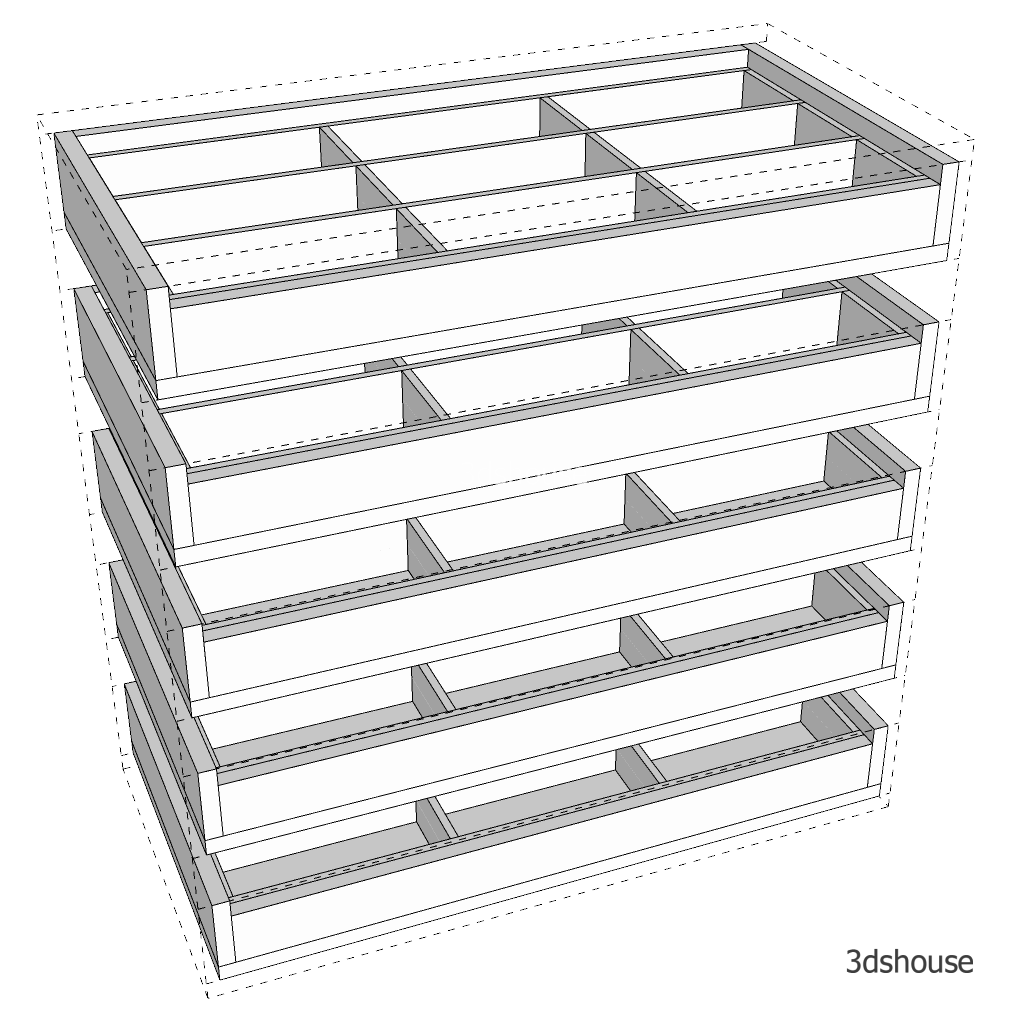
Drawing furniture drawers in SketchUp is very time consuming, especially when it is necessary to draw precisely to deploy a furniture production drawing. The fastest and most accurate way to draw cabinet drawers in SketchUp is to use Dynamic SketchUp. The 3dshouse Dynamic plugin already has a Dynamic drawer model library. It only takes a few seconds to set the parameters to draw the correct drawer.
A drawer is one of the worst things to model by hand: change the carcass width and every box, slide clearance, drawer face and divider has to be re-cut individually. A parametric drawer model rebuilds all of that from a single set of inputs.
If you have ever fought with stock SketchUp Dynamic Components, note that editing their parameters needs the Interact/Component Options tool, which only ships in SketchUp Pro and Studio — the free Web version and SketchUp Go cannot open the options dialog, only view the geometry. The 3dshouse Dynamic drawers are driven from the plugin’s own panel instead, so you set dimensions by typing exact values rather than relying on the Scale tool.
That distinction matters for production drawings: when you resize a native Dynamic Component with the Scale tool, the reported length comes back as a floating-point value (you will see a panel report 600.0000000000001 mm instead of 600), and the sub-parts often will not refresh until you right-click and choose Redraw — exactly the kind of silent rounding error that puts a 1 mm gap in a cut list. Typing the size directly avoids both the scale-tool rounding and the stale-redraw trap.
How to Draw Drawers in SketchUp: Furniture Model Features and Options
- Scale captures precise points and automatically calculates drawer size.
- Change the size of the drawer: height, depth, width.
- Adjust the number of drawers.
- Clearance for drawer sliding rails (set to match your hardware spec). Set this to your actual hardware spec — full-extension ball-bearing slides typically need 12.5 mm per side (≈25 mm total), so the clearance value is what decides whether the slides bind or rattle; it is not just cosmetic.
- The bottom of the drawer has 3 options: the bottom covers the side boards, the bottom is inset into the side boards, or the bottom just fits the envelope into the front and back.
- Adjust the drawer thickness and bottom position.
- Adjust the height of the front board of drawers.
- Adjusting the number of dividers inside the drawer; these compartments have a self-inserted tongue-and-groove wood joint.
Features of drawer front doors:
- Scale captures the exact point and automatically calculates the front door size.
- Change the size of the front doors: height, depth, width and thickness.
- Adjust the number.
- The gap of the door. Often used when the door is inset into the cabinet. For inset fronts the reveal is applied per edge, so a 3 mm gap value gives a 6 mm difference between two adjacent fronts — size the opening to the gap, not the gap to the opening, or the bank of drawer faces will drift out of alignment.
- Adjust the handle position.
- Easy to replace the handle.
