

 Tiếng Việt
SketchUp
Delete Dynamic Component Attributes in SketchUp — One Click
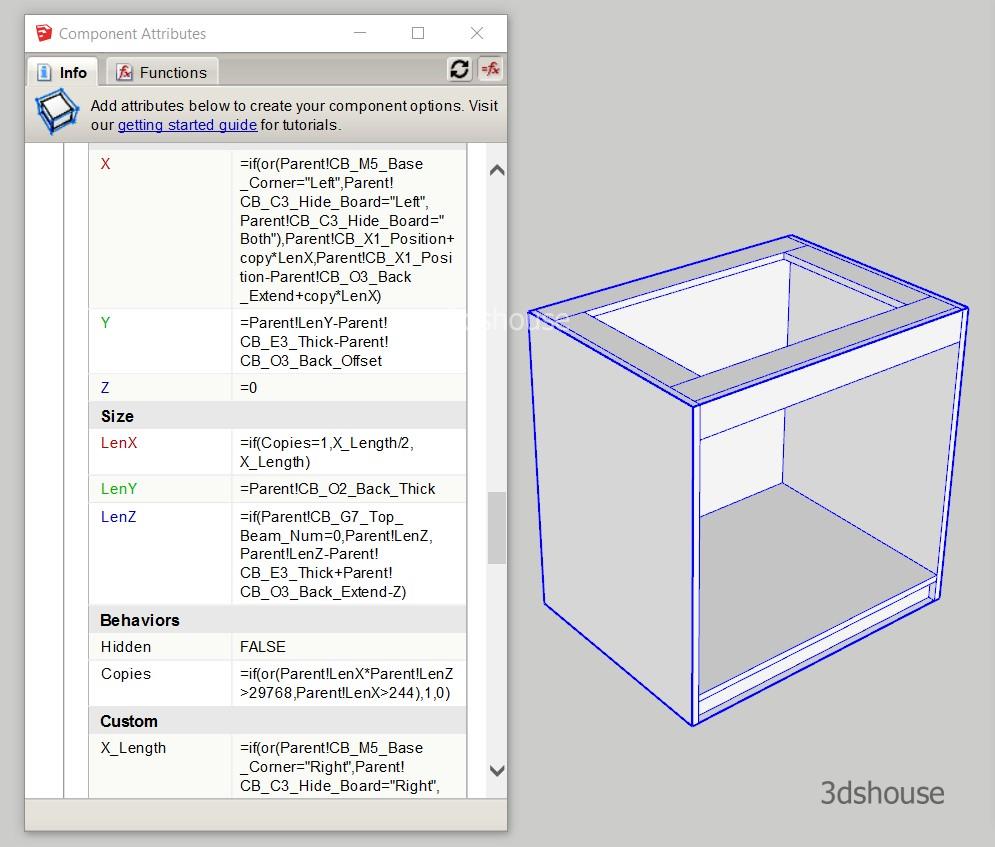
After you have programmed the Dynamic Component SketchUp functions, to remove all dynamic properties and attributes from objects, it is usually only possible to manually delete it in the Component Attribute table. If the file has many objects and properties, it will take a long time to delete.
Delete Dynamic Tool is a tool available in the Parashape (3dshouse Dynamic) plugin — one click deletes all Dynamic Component attributes and properties from every object in the file.
How to Delete Dynamic Component Attributes in SketchUp (Remove All Properties in One Click)
Click icons  in the Parashape Dynamic Plugin.
What actually gets removed:
Every Dynamic Component stores its formulas, options and copy logic in a hidden attribute dictionary named dynamic_attributes. The tool strips that dictionary so the object becomes an ordinary static component/group while keeping the exact geometry it currently shows. The biggest gotcha most users miss: those attributes live in two places at once — on the component definition AND on every placed instance — so deleting them only on the selected instance is not enough; the definition keeps the formulas and they can re-propagate on the next redraw. The one-click tool clears both layers, which is why it works where a manual attribute-by-attribute cleanup often leaves a model that “comes back to life”.
Why you would remove Dynamic Component attributes in SketchUp:
- A converted (de-parametrised) model is dramatically lighter and saves/opens faster, because SketchUp no longer evaluates the formula tree on every move, scale or redraw — useful when you send a finished design to a renderer or a client who does not need the parameters.
- It guarantees the geometry can no longer be accidentally re-scaled by the Component Options panel.
- It removes the extra attributes that can confuse downstream CNC/nesting workflows (run it before Abf nesting on parametric cabinets).
Things to know before you click:
- The action is destructive and not separately reversible — once the formulas are gone the only way back is Edit > Undo in the same session, so work on a copy if you might still need to edit dimensions later.
- It frees the geometry but does not purge the orphaned definitions left behind; follow up with the Purge Unused tool to actually shrink the file size.
- Dynamic Components themselves still ship as a bundled SketchUp extension in SketchUp 2026 (now sold only as a named-user subscription, no perpetual licence), and the underlying
dynamic_attributesbehaviour has not changed — so this tool keeps working across recent versions, including the web edition where the classic kill/clean menu is harder to reach.
