

 Tiếng Việt
SketchUp
Batch Rename Objects in SketchUp Automatically (1 Click)
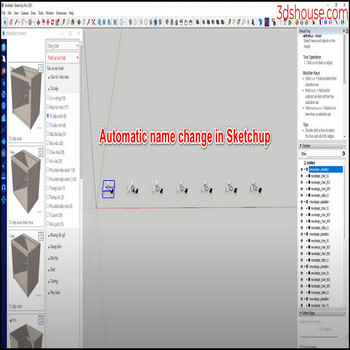
When you want to batch rename many objects with the same name inside a SketchUp group or component all at once, use a “rename selection” command to do it automatically instead of editing each name by hand in the Outliner.
How to Batch Rename Objects in SketchUp Automatically — Tutorial Video
Steps by steps :
- Click select all objects with the same name – click on rename seletion
- Enter the name to replace and the name you want to change

Automatic name change in Sketchup

Things worth knowing before you batch rename in SketchUp
This SketchUp rename tool works as a find-and-replace on object names, so the text you type to replace must match the existing names exactly — it is case-sensitive, and a trailing space or a different number of digits will silently skip those objects.
- Groups and components do NOT rename the same way. A group has only one name, so renaming it is safe. A component has two separate names — the definition name and the instance name (shown in angle brackets in the Outliner). If your batch rename changes the definition name, it renames every copy of that component everywhere in the model at once, even instances you did not select. To rename only the copies you picked, target the instance name, not the definition.
- A freshly copied component instance has no instance name of its own — it just inherits and displays the definition name. So a batch tool may show nothing to “replace” until you give each instance an explicit name first; otherwise it falls back to editing the shared definition and changes everything.
- Names are not required to be unique. SketchUp lets two different groups carry the exact same name, which is exactly why a one-click rename-by-name is useful — but it also means a careless replace can collapse several distinct objects to one label and make them hard to tell apart later.
- This is purely a naming/organization step — it does not affect geometry, layers (tags), or the component definition’s contents. Renaming for cleaner output is most useful right before exporting to formats that carry object names through, such as IFC, glTF, or a tagged DWG/FBX, where a downstream app reads those names.
SketchUp itself has no built-in batch rename by selection; the feature shown here comes from a SketchUp extension plugin. Note that current SketchUp is a named-user subscription (SketchUp 2026 is the latest line), and the Outliner-based rename described above is available in SketchUp Pro.
