Tiếng Việt
SketchUp
Remove Unused Edges in SketchUp — Cleanup Extension
Jan
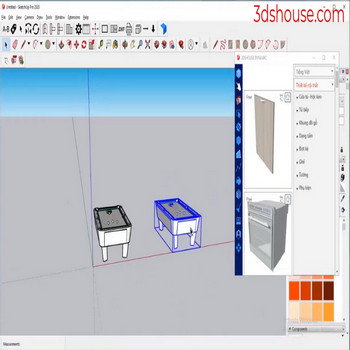
To delete or hide edges, into the object, which is time consuming , Let’s use 3dshouse’s Remove Unused Edges cleanup tool to help us do it faster
Manually cleaning a model means deciding, edge by edge, whether to erase, hide, or soften each line — and in SketchUp these are three different operations, not one. The Eraser tool plain-deletes an edge (and can delete the faces it borders), holding Shift hides the edge while keeping the faces separate, and holding Ctrl (Option on macOS) softens/smooths it. Only softening merges the two adjacent faces into a single surface entity — hiding just makes the line invisible, so the surface still behaves as several faces underneath. The Remove Unused Edges tool automates the tedious case: stripping out leftover coplanar and stray segments that subdividing, intersecting, or importing leaves behind, without you having to pick the right modifier on every line.
How to Remove Unused Edges in SketchUp — Geometry Cleanup Video Tutorial
Steps by steps:
- Click object
- Click Remove unuse edges tool

Remove unuse edges