SketchUp
PatchUp: Create Faces from Edges in SketchUp, Flat or Curved

PatchUp turns selected edges into faces. Select CAD linework or loose edges and press Make Faces. Each closed loop that lies flat gets a face; loops that do not lie flat are filled automatically with a smooth curved surface that meets your edges. One setting, Tolerance (default 0.1 mm), decides how close two points must be to count as the same point, so a small break between lines closes when you raise it. Requires SketchUp 2022 or newer, Windows.
The problem: CAD linework with no faces
Imported CAD often arrives as edges with no faces. Users describe it in these words: "Sketchup doesn't recognize the surface enclosed by the drawing" after a DXF import (SketchUp forum, "Surfaces need fixing after import from DXF"). Several extensions make faces from edges, and they work on closed loops of coplanar edges (SketchUp forum, "Trouble with faces using Eneroth's Face Creator"). When the outline is not flat, SketchUp itself will not form a face: "If they aren't co planer they won't form faces anyway", and people reach for other tools to fill a non-planar region (SketchUp forum, "What's the easiest way to fill a non-planar region").
What PatchUp does
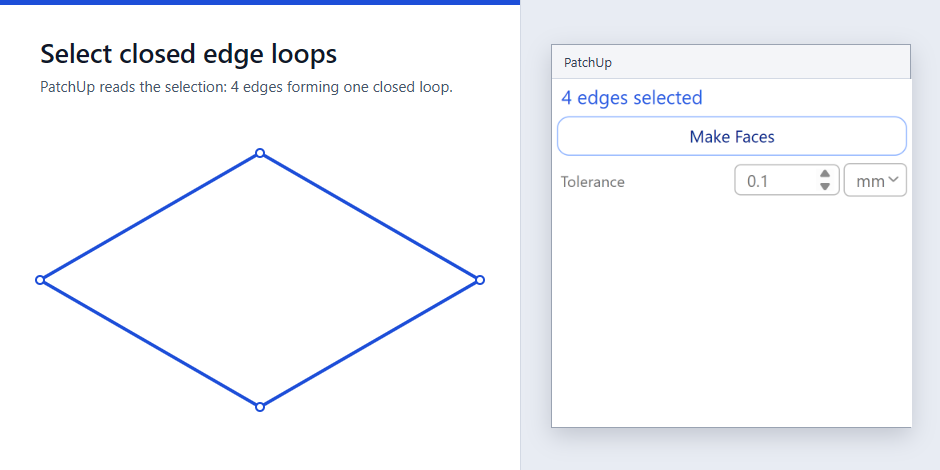
- Treats points closer than the Tolerance as one point (default 0.1 mm, up to 25.4 mm; mm or in). An endpoint within the Tolerance of another edge joins it (a T gap closes), and crossings within it cross.
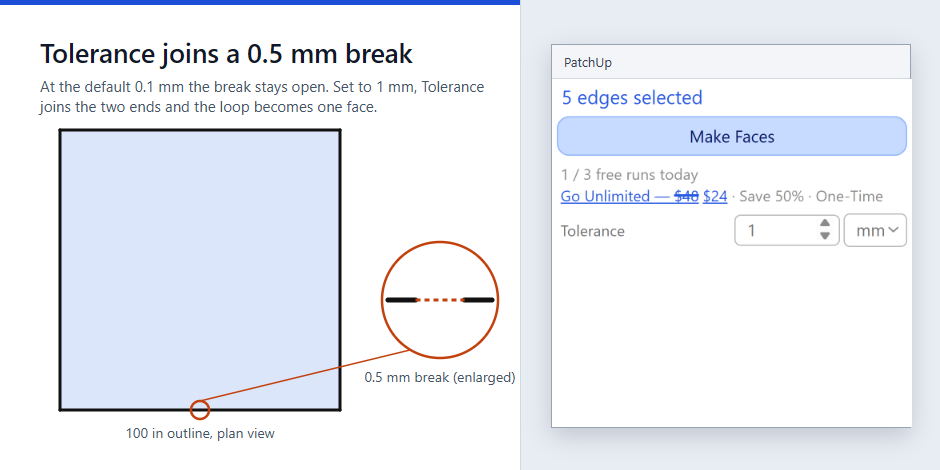
- Splits the selected edges where they cross.
- Finds the closed loops on the edge graph.
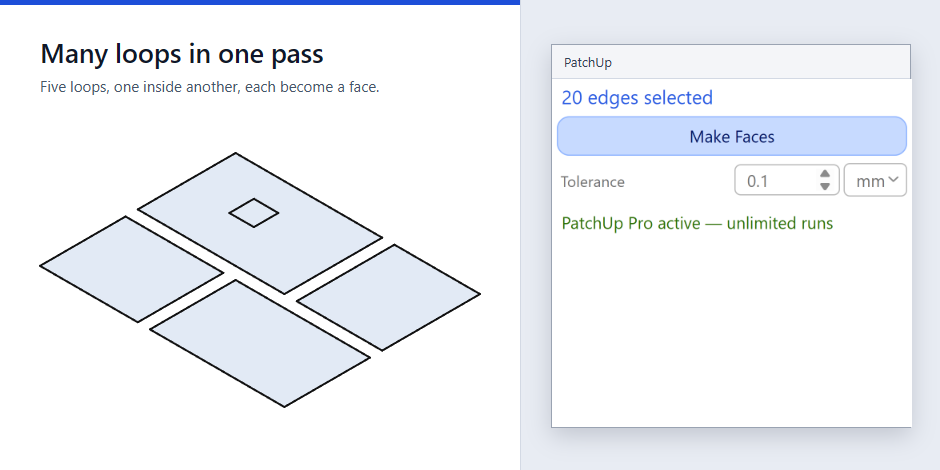
- Decides each loop automatically: loops whose edges all lie on one plane (within the Tolerance) become flat faces; holes and nested loops are handled. New faces take the tag of the edges they are drawn from, and faces that already exist are skipped.
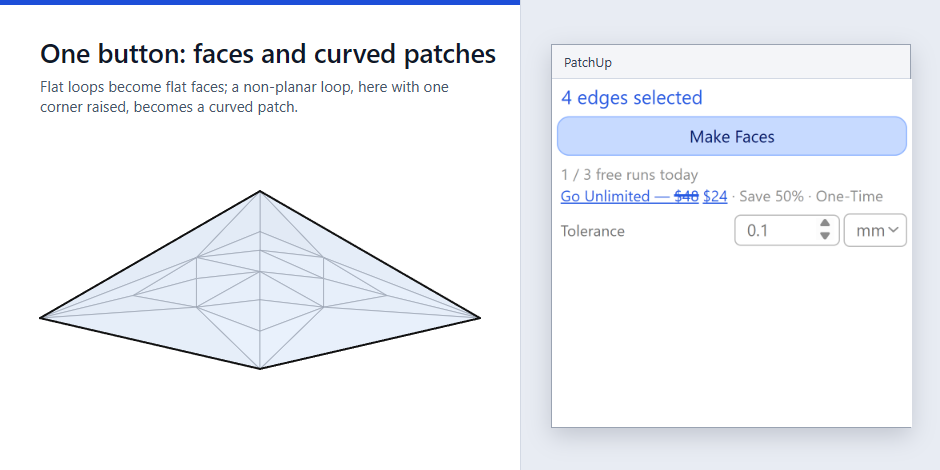
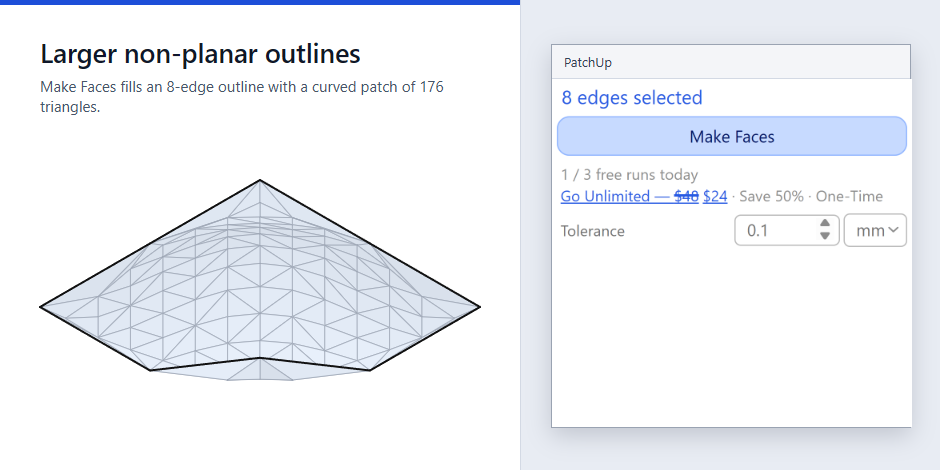
- Non-planar loops are filled with a smooth curved patch that meets the selected edges, with the same button.
- Builds clean faces (coplanar triangles merged, edges softened under 30 degrees) in one undo step.
Honest limits
- PatchUp does not find or report gaps and suggests no value. A break closes only if you raise the Tolerance above it (maximum 25.4 mm); an open drawing with no closing chain gets no face.
- The Tolerance is an absolute distance, so it depends on your drawing's units and scale. On nine real CAD drawings the default 0.1 mm gave no loss; large values collapse thin features (one 48 sq in map lost faces from about 0.8 mm, a floor plan from about 0.13 mm).
- On a messy 3D wireframe that is not flat, a connected group of edges can be traced less exactly and give more faces than the plan; raise the Tolerance above the lift to absorb it.
- Loops that are not a simple closed loop are skipped ("Skipped N loops – outline is not a simple closed loop").
- Groups and components must be opened; edges in other contexts are not used.
- A four-edge skewed outline gives a moderate curved patch; more edges give a smoother one.
- The curved patch is a smooth fill of your outline, not a loft between profiles.
- Results build in chunks of 5000 triangles; in a very large result a diagonal can remain at a chunk boundary.
- Needs an internet connection (the dialog loads from 3dshouse.com).
Compared with S4U Make Face
S4U Make Face is an established extension whose listing says "Select edges to Make Faces" and offers a right-click Make Face (SketchUcation, version 5.2.1, updated 2024-10-02; listed as paid, price not shown on that page). PatchUp's difference is the automatic curved patch for non-planar loops. Where you only need flat faces and already own a face tool, PatchUp does the same job for flat loops and is not a reason to switch. I did not test S4U Make Face, and its listing does not describe non-planar fill; that is what was read, not a statement about every version.
Price
Free to install with 3 runs a day (a run is one press that creates faces). PatchUp Pro: US$24 at the current sale price (regular US$48), one-time payment, on 3dshouse.com.
Install
- Download the .rbz from https://patchup.3dshouse.com/sketchup/patchup.rbz (Extension Warehouse link when published).
- SketchUp: Extensions > Extension Manager > Install Extension, pick the .rbz.
- Select edges, open Extensions > PatchUp, press Make Faces.
FAQ
- How to make a face from lines in SketchUp? Edges that are connected, closed and flat form a face when you redraw one edge; for many loops at once select them all and press Make Faces in PatchUp.
- How to create a face from edges in SketchUp? Same: select the edges and press Make Faces.
- Why are my lines not creating faces? Usually a gap at a corner or edges that are not coplanar (SketchUp forum, "Surfaces need fixing after import from DXF"). Raising PatchUp's Tolerance closes small breaks (up to 25.4 mm); non-planar loops are filled with a curved patch by the same button.
- How to fill a curved surface or make a curved face from edges? Select the closed outline and press Make Faces; a loop that is not flat becomes a curved patch.
- Is there a SketchUp plugin to make a surface from lines? PatchUp makes flat faces or a curved patch from selected lines with one button.
Free: limited to 3 runs a day
Pro: unlimited, guaranteed to work, priority support
- BevelUp — round or chamfer edges into real geometry, in one click
- Decimify — reduce the polygon count of a heavy model
- Tracepen — trace an image into SketchUp faces
- TileUp — turn a face into real 3D tiles, with a take-off
- Texturic — make seamless tile textures with PBR maps
- SheetUp — turn a SketchUp model into a bill of quantities and cost estimate