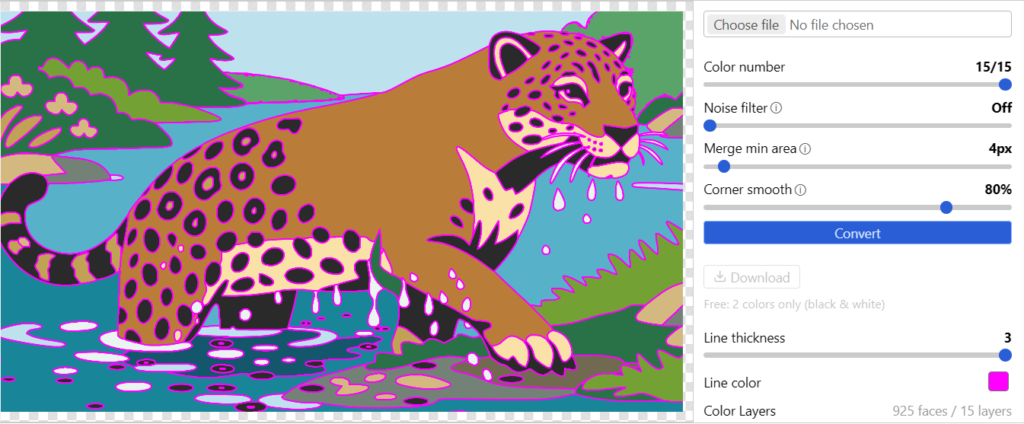
Tracepen Online traces a picture (PNG, JPG, WebP, GIF or BMP, up to 50 MB) into colour vector shapes in your browser and saves it as SVG, PNG, PDF, DXF Lines, DXF Hatch or DXF Faces. The picture is traced on your computer and is not uploaded.
Why Tracepen
- Many colours, each one exact: Tracepen finds every colour in the image, so a five-colour logo comes back as five colour layers, not one silhouette.
- Colours meet exactly: neighbouring colours share one boundary, with no gaps or overlaps.
- Three DXF types for CAD, laser and CNC work: Lines, Hatch or Faces. DXF Lines writes every contour as a closed polyline, one DXF layer per colour.
- Leave a colour out: untick its layer and it is not exported.
Open
Nothing to install: Tracepen Online. The same Pro also unlocks Tracepen in its other apps on your 3dshouse account.
Free: limited to 3 exports a day
Pro: unlimited, guaranteed to work, priority support
14-day money-back